 sinra
sinra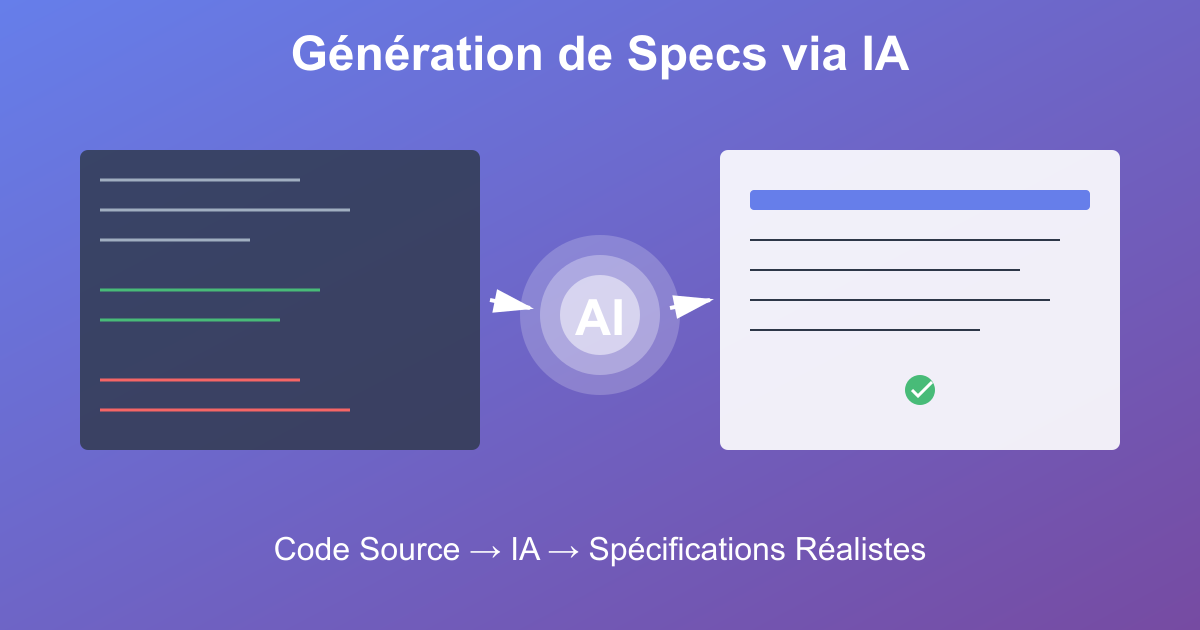
Generating Specs via AI from Source Code: When AI Analyzes Your Codebase to Create Realistic Specifications
Between specs disconnected from reality, obsolete documentation and technical misunderstandings, PO/PMs write in a vacuum: AI analyzes code to generate specifications aligned with existing systems
url: /specifications/2026/01/23/ai-specs-generation-source-code.html
“Add Multi-Factor Authentication”
Monday morning. Release planning meeting.
Product Manager: “For the next release, we’re adding multi-factor authentication. It’s a priority customer request.”
The PM opens Notion and starts writing the spec:
# Capability: Multi-Factor Authentication (MFA)

**Objective:**
Allow users to secure their accounts with multiple authentication methods.

**Supported methods:**
- SMS with 6-digit code
- Authenticator app (TOTP)
- Hardware security key (FIDO2)
- Email with confirmation link

**User Stories:**
- As a user, I want to enable MFA in my settings
- As a user, I want to choose my preferred method
- As a user, I want to configure multiple backup methods
PM: “Spec done. Estimate?”
Lead Developer (who hasn’t read the current authentication code yet):
Dev Lead: “I’d say 1 sprint, maybe 2. I’ll assign to the team.”
3 days later.
Developer opens the authentication module source code.
# app/models/user.rb
class User < ApplicationRecord
  devise :database_authenticatable, :registerable

  # Current authentication: email + password ONLY
  # Architecture: only 1 auth method supported by devise
  # No multi-provider system
end
Developer escalates to Lead:
Dev: “We have a problem. Our current authentication architecture only supports one method: email + password.”
Dev Lead: “So what?”
Dev: “To support MFA, we need to completely refactor the authentication system. Devise doesn’t natively handle multiple simultaneous methods. We need to create a provider system, manage partial authentication states, implement the MFA flow…”
Dev Lead: “Estimated time?”
Dev: “3 weeks minimum. Plus 1 week of testing. The spec mentions 4 different methods. Each requires specific integration.”
Lead Developer goes back to the PM.
Dev Lead: “Your MFA spec… We can’t do this in 2 sprints.”
PM: “Why? It’s just adding an option in settings.”
Dev Lead: “No. It’s refactoring the entire authentication architecture. The current code only supports one method. Your spec asks for 4. We need to rework everything.”
PM: “But… I validated this spec with customers. It’s promised for the release.”
Dev Lead: “Should’ve analyzed the code before writing the spec.”
PM: “I don’t know how to code. How am I supposed to know your architecture doesn’t support this?”
Awkward silence.

url: /specifications/2026/01/23/ai-specs-generation-source-code.html
The Problem of Specs Disconnected from Technical Reality
Most Product Owners and Product Managers write specs without knowing the real state of the code.
Legitimate goal: Define user needs and features to develop.
Frequent result: Technically impossible specs, underestimated, or requiring major unanticipated refactorings.
The Five Symptoms of Disconnected Specs
1. Impossible Specs (Current Architecture Doesn’t Allow It)
The Scenario:
PM writes an ambitious spec based on user needs.
Week 1: Spec validated by business. “Great feature!”
Week 2: Dev team starts technical analysis. “This is impossible with our current architecture.”
Week 3: Debate on how to refactor existing code. “This will take 6 weeks, not 2.”
Week 4: PM has to announce delay to customers. “Sorry, we underestimated the complexity.”
Real Example:
PM Spec: “Allow users to export their data in CSV, JSON, and Excel formats.”
Current code:
# app/services/export_service.rb
class ExportService
  def export_to_csv(data)
    # CSV export only
    # No multi-format handling
    # No abstraction to add other formats
  end
end
Reality: The export service is coupled to CSV format. To support JSON and Excel, the service needs complete refactoring, creating an abstraction, implementing each formatter.
Time estimated by PM: 3 days.
Real time: 2 weeks (refactoring + 3 formats + tests).
The Problem:
- ❌ PM doesn’t know current architecture
- ❌ Spec written without analyzing existing code
- ❌ Massive underestimation
- ❌ Dev frustration (“Another unrealistic spec”)
Quote from Lead Developer:
“PMs write specs as if we’re starting from scratch. But we have 200,000 lines of code with a specific architecture. Their specs never account for that.”
url: /specifications/2026/01/23/ai-specs-generation-source-code.html
2. Underestimated Specs (“It’s Just Adding a Button”)
The Scenario:
PM thinks a feature is simple. “It’s just adding an export button.”
Hidden technical reality:
- Permissions: who can export?
- Limits: large exports crash the server
- Background jobs: asynchronous processing needed
- Notifications: email when export is ready
- Security: no access to other users’ data
- Tests: 15 edge cases to cover
PM estimation: 1 day.
Dev estimation after code analysis: 1 week.
The Problem:
- ❌ PM sees user interface, not technical complexity
- ❌ Specs don’t mention hidden constraints
- ❌ Misalignment between expectations and reality
Quote from Product Manager:
“I thought it was simple. How am I supposed to know I need to handle 15 edge cases if I don’t read the code?”
url: /specifications/2026/01/23/ai-specs-generation-source-code.html
3. Specs Contradicting Existing Code (Architectural Conflicts)
The Scenario:
PM writes a spec that conflicts with current architecture.
Example:
PM Spec: “Users can create custom workflows with if/else conditions.”
Current code:
# app/models/workflow.rb
class Workflow < ApplicationRecord
  # Workflows = fixed linear sequence of steps
  # No conditions
  # No branches
  # Rigid architecture
end
Result: The spec asks for a conditional workflow system. Current code only handles linear sequences. Complete overhaul needed.
The Problem:
- ❌ Spec ignorant of architectural constraints
- ❌ Conflict between PM vision and technical reality
- ❌ Unplanned refactorings
url: /specifications/2026/01/23/ai-specs-generation-source-code.html
4. Vague Specs (“Improve Performance”)
The Scenario:
PM writes generic spec without technical context.
PM Spec: “Improve dashboard page performance.”
Unanswered questions:
- Which parts of the page are slow?
- What’s the current load time?
- What’s the performance target?
- Which SQL queries are problematic?
Dev team must analyze code to understand:
- Profiling: identify bottlenecks
- Measurement: load time, number of SQL queries, render time
- Hypotheses: caching? N+1 queries? Lazy loading?
Time wasted: 2 days of analysis before even starting.
The Problem:
- ❌ Spec without technical context
- ❌ Dev must do analysis PM could have done with help
- ❌ Time wasted understanding the real problem
url: /specifications/2026/01/23/ai-specs-generation-source-code.html
5. Specs Without Migration Context (“What About Existing Data?”)
The Scenario:
PM writes spec for new feature. Forgets existing data.
Example:
PM Spec: “Add ‘Payment Status’ field on orders. Possible values: Paid, Pending, Failed.”
Forgotten question: What do we do with the 50,000 existing orders in the database?
Technical reality:
- Data migration needed
- Backward compatibility logic (old code not handling new field)
- Deployment strategy (deploy code before or after migration?)
PM estimation: 1 day (add a field).
Dev estimation: 1 week (migration + backward compatibility + safe deployment).
The Problem:
- ❌ Spec ignores existing data and legacy code
- ❌ Underestimation of migration impacts
url: /specifications/2026/01/23/ai-specs-generation-source-code.html
Why Specs Stay Disconnected from Reality
Reason 1: PMs Don’t Read Code (And That’s Normal)
The Problem:
Product Managers aren’t developers. They can’t read 200,000 lines of code to understand architecture.
Result: They write specs based on user understanding, not technical reality.
Quote from Product Manager:
“I understand user needs. But I don’t code. How am I supposed to know our authentication system only supports one method?”
url: /specifications/2026/01/23/ai-specs-generation-source-code.html
Reason 2: Devs Discover Constraints Too Late
The Problem:
Dev team discovers technical constraints after the spec is written and validated.
Typical workflow:
- Week 1: PM writes spec (no technical analysis)
- Week 2: Spec validated by business
- Week 3: Dev starts analyzing code (“Oh, this is impossible”)
- Week 4: Debate on how to refactor
- Week 6: Partial delivery, far from initial spec
Frustration on both sides:
- PM: “Why are you telling me this now?”
- Dev: “Why did you write this spec without consulting us?”
url: /specifications/2026/01/23/ai-specs-generation-source-code.html
Reason 3: No Automated Source Code Analysis
The Problem:
There’s no tool to automatically analyze code and generate technical constraints for a spec.
Current workflow:
- PM writes spec (business vision)
- Dev reads spec
- Dev manually analyzes code
- Dev reports constraints
- PM adapts spec
- Back to step 2 (multiple iterations)
Time wasted: 1-2 weeks of back-and-forth.
Question: What if AI could analyze the source code before writing the spec?
url: /specifications/2026/01/23/ai-specs-generation-source-code.html
The AI Approach: Analyze Code to Generate Realistic Specs
The Concept:
Use AI to analyze your codebase and generate specifications aligned with existing architecture.
How It Works
Step 1: AI Analyzes Source Code
Input: Your codebase (files, architecture, dependencies).
AI Analysis:
- Identify existing modules (authentication, payments, exports, etc.)
- Map architecture (services, models, controllers, jobs)
- Detect technical constraints (only one export format? linear workflows?)
- Identify code patterns (how features are currently implemented)
Output: Technical map of your codebase.
Example:
AI analyzes authentication module:
Code analysis: app/models/user.rb, app/controllers/sessions_controller.rb

Detected architecture:
- Gem used: Devise
- Authentication method: database_authenticatable (email + password only)
- Constraint: Devise doesn't natively support multiple simultaneous authentication methods
- Possible extensions: devise-two-factor (third-party gem for basic MFA)

Conclusion:
To implement MFA with multiple methods (SMS, TOTP, FIDO2), complete refactoring needed:
1. Create authentication provider system
2. Manage partial authentication states (email validated, awaiting MFA)
3. Implement each provider (SMS, TOTP, FIDO2)
4. Security tests (MFA bypass, timing attacks, etc.)

Estimation: 3-4 weeks (refactoring + implementation + tests)
Result: AI understands current architecture and identifies technical constraints.

url: /specifications/2026/01/23/ai-specs-generation-source-code.html
Step 2: PM Describes Business Objective
PM Input: “I want to add multi-factor authentication to secure user accounts.”
AI combines:
- Business objective (MFA for security)
- Technical constraints (current Devise architecture)
AI generates realistic spec:
# Capability: Multi-Factor Authentication (MFA)

**Business objective:**
Secure user accounts with MFA.

**Identified technical constraint:**
Current architecture (Devise) only supports email + password.
For MFA, refactoring needed.

**Approach proposed by AI:**

Option 1 (Quick, Limited):
- Use `devise-two-factor` gem
- TOTP support only (no SMS, no FIDO2)
- Time: 1 week
- Limitation: only 1 MFA method supported

Option 2 (Complete, Long):
- Refactor authentication system
- Create multiple providers (SMS, TOTP, FIDO2)
- Support backup methods
- Time: 4 weeks
- Advantage: Flexible architecture for future methods

**AI Recommendation:**
Option 1 for MVP. Option 2 for complete version in next release.

**Generated issues:**
- [AUTH-101] Analyze devise-two-factor security
- [AUTH-102] Implement TOTP with devise-two-factor
- [AUTH-103] MFA settings UI
- [AUTH-104] Security tests (bypass, timing attacks)
Result: Realistic spec, aligned with architecture, with explicit options and trade-offs.
url: /specifications/2026/01/23/ai-specs-generation-source-code.html
Step 3: Human Supervision (PO/PM/Dev Validate)
IMPORTANT: AI doesn’t replace humans. It assists.
Validation workflow:
- AI generates spec based on code analysis
- PM reads spec (“OK, AI detected technical constraints”)
- Dev validates technical analysis (“Yes, correct. Devise doesn’t natively support multi-method MFA”)
- PM chooses approach (“We’ll do Option 1 for MVP”)
- Dev refines estimations (“1 week confirmed, I know devise-two-factor”)
Human keeps control:
- ✅ PM chooses approach (quick vs complete)
- ✅ Dev validates technical analysis
- ✅ Team decides priorities
AI provides:
- ✅ Automatic code analysis
- ✅ Technical constraint detection
- ✅ Realistic spec generation
- ✅ Time savings (2 days analysis → 10 minutes)
Quote from Product Manager:
“AI analyzed the authentication code in 2 minutes. Before, I’d ask a dev to do this analysis, it took 2 days. Now I have technical constraints before writing the spec.”

url: /specifications/2026/01/23/ai-specs-generation-source-code.html
The Three Pillars of AI-Generated Specs
1. Automatic Source Code Analysis
The Concept:
AI scans your codebase to identify:
- Current architecture (patterns, frameworks, gems/packages)
- Technical constraints (only one format? linear workflows?)
- Dependencies (which parts of code are impacted by a change)
- Complexity (estimated time based on existing structure)
Advantages:
- No need to manually read 200,000 lines of code
- Automatic detection of hidden constraints
- Technical mapping in minutes
url: /specifications/2026/01/23/ai-specs-generation-source-code.html
2. Spec Generation Aligned with Existing Code
The Concept:
AI generates a spec that:
- Respects current architecture (or proposes refactoring if needed)
- Identifies impacts (which files to modify, which dependencies to check)
- Proposes multiple approaches (quick vs complete, MVP vs final version)
Result:
- Realistic specs (no impossible promises)
- Explicit trade-offs (time vs features)
- Estimations based on real code (not intuitions)
url: /specifications/2026/01/23/ai-specs-generation-source-code.html
3. Mandatory Human Supervision
The Concept:
AI assists. Human decides.
AI doesn’t:
- ❌ Choose technical approach for you
- ❌ Write code automatically without validation
- ❌ Make business decisions (MVP vs complete)
Human keeps control:
- ✅ Validate AI’s technical analysis
- ✅ Choose approach (quick, complete, hybrid)
- ✅ Adjust priorities based on business
- ✅ Revise generated spec if needed
Key principle:
Master AI and never be passive.
You use AI to save time on technical analysis. You remain master of decisions.
url: /specifications/2026/01/23/ai-specs-generation-source-code.html
Real Example: TechOps Platform (SaaS Monitoring)
TechOps Platform (30-person team, infrastructure monitoring platform)
Note: TechOps Platform is a real company we’ve anonymized with a fictitious name to protect their confidentiality.
Before AI: Disconnected Specs, Endless Back-and-Forth
Configuration:
- Specs written in Notion by PMs
- Manual technical analysis by lead devs
- Back-and-forth: 1-2 weeks per spec
Problem Encountered:
PM Spec: “Allow users to export metrics in Prometheus, Grafana JSON, and CSV formats.”
Dev analysis (after 3 days):
# app/services/metrics_exporter.rb
class MetricsExporter
  def export(metrics)
    # CSV export only
    # No abstraction for multi-format
    # Prometheus and Grafana JSON = complex formats (time series, labels, metadata)
  end
end
Dev conclusion: “Need to refactor service, create formatter system, implement Prometheus and Grafana JSON. 3 weeks minimum.”
PM: “But I promised this to customers for the release in 2 weeks.”
Result: Release delayed by 4 weeks.
Quote from TechOps Product Manager:
“We wrote ambitious specs without knowing if they were technically feasible. Dev team discovered impossibilities after validation. It was frustrating for everyone.”
url: /specifications/2026/01/23/ai-specs-generation-source-code.html
After AI: Code Analysis Before Spec
Workflow with AI:
PM describes objective: “I want to enable metrics export to Prometheus and Grafana.”
AI analyzes code:
Analysis: app/services/metrics_exporter.rb

Detected architecture:
- CSV export only
- No abstraction for multi-format
- Metrics stored as time series in PostgreSQL

Constraint:
Prometheus and Grafana JSON require:
- Time series → specific format conversion
- Labels and metadata handling
- Export service refactoring

Possible approaches:

Option 1 (Quick):
- Use `prometheus-client` gem for Prometheus export
- Implement Grafana JSON manually (simple format)
- Keep existing CSV export
- Time: 1 week

Option 2 (Complete):
- Refactor `MetricsExporter` into formatter system
- Implement Prometheus, Grafana JSON, CSV as formatters
- Extensible architecture for future formats
- Time: 3 weeks
- AI generates spec:
# Capability: Multi-Format Export (Prometheus, Grafana JSON, CSV)

**Objective:**
Enable metrics export to Prometheus and Grafana.

**Technical constraint:**
Current export = CSV only. Refactoring needed.

**Recommended approach (Option 1 - MVP):**
- Prometheus export via `prometheus-client` gem
- Grafana JSON export (simple format)
- Keep existing CSV export
- Time: 1 week

**Issues:**
- [EXPORT-201] Implement Prometheus export
- [EXPORT-202] Implement Grafana JSON export
- [EXPORT-203] Export format selection UI
- [EXPORT-204] Format tests (Prometheus, Grafana, CSV)

**Future approach (Option 2 - Extensible architecture):**
Refactor into formatter system to ease adding new formats.
Planned for Q2 release.
PM validates spec (“OK, MVP in 1 week, complete version later”)
Dev confirms estimation (“1 week confirmed”)
Total time: 30 minutes (instead of 2 weeks back-and-forth).
url: /specifications/2026/01/23/ai-specs-generation-source-code.html
Results (After 6 Months):
Metric 1: Technical analysis time
- Before: 2 weeks back-and-forth PM ↔ Dev to understand constraints
- After: 30 minutes (AI analyzes code automatically)
Metric 2: Unrealistic specs
- Before: 40% of specs required unanticipated refactorings
- After: 5% (AI detects technical constraints upfront)
Metric 3: Dev team satisfaction
- Before: Constant frustration (“PMs write impossible specs”)
- After: Smooth collaboration (“Specs are realistic”)
Metric 4: Time-to-market
- Before: Releases delayed by 30% on average (technical surprises)
- After: 95% of releases delivered on time
Quote from TechOps Lead Developer:
“Before, we wasted 2 weeks per spec explaining why it was impossible. Now AI analyzes code in 5 minutes and generates a realistic spec. We go straight to implementation.”
Quote from TechOps Product Manager:
“I don’t code. But with AI, I can write realistic technical specs. AI analyzes code, tells me what’s feasible, and I choose the approach. It’s revolutionary.”

url: /specifications/2026/01/23/ai-specs-generation-source-code.html
Master AI, Never Be Passive
Fundamental principle:
AI is an assistant, not a decision-maker.
What AI Does Well
✅ Analyze 200,000 lines of code in minutes
- Identify current architecture
- Detect technical constraints
- Map dependencies
✅ Generate realistic specs based on code
- Propose multiple approaches (quick vs complete)
- Estimate complexity based on existing structure
- Identify impacts (which files to modify)
✅ Save time on technical analysis
- 2 weeks back-and-forth → 30 minutes
- No need to read code manually
- Automatic detection of hidden constraints
What AI Can’t Do (And Shouldn’t Do)
❌ Make business decisions for you
- Choose between quick MVP or complete version
- Define business priorities
- Decide trade-offs (time vs features)
❌ Write code without supervision
- AI can generate code, but humans must validate
- Risks: bugs, security flaws, unmaintainable code
- Principle: AI proposes, human validates and adjusts
❌ Understand complete business context
- AI analyzes code, not business constraints
- Example: “We must deliver in 2 weeks for priority customer”
- Only humans know these constraints
Golden Rules to Master AI
Rule 1: Always Validate Technical Analysis
Never blindly accept AI conclusions.
Workflow:
- AI analyzes code and generates spec
- Dev validates technical analysis (“Did AI correctly understand the architecture?”)
- If validation ✅ → continue
- If error ❌ → correct AI analysis
Example:
AI says: “Your system already supports MFA via Devise.”
Dev checks: “No, Devise is configured in basic mode. No MFA.”
Correction needed.
url: /specifications/2026/01/23/ai-specs-generation-source-code.html
Rule 2: Human Chooses Approach
AI proposes multiple options. Human decides.
Example:
AI proposes:
- Option 1: Quick MVP (1 week)
- Option 2: Complete version (4 weeks)
PM decides: “We’ll do Option 1 now, Option 2 in next release.”
AI doesn’t choose. You choose.
url: /specifications/2026/01/23/ai-specs-generation-source-code.html
Rule 3: Never Production Code Without Human Review
If AI generates code, humans must review it.
Risks of unreviewed AI code:
- Subtle bugs
- Security flaws (injection, XSS, etc.)
- Unmaintainable code
- Non-compliance with team conventions
Rule: AI accelerates. Human guarantees quality.
url: /specifications/2026/01/23/ai-specs-generation-source-code.html
Rule 4: Supervise, Don’t Submit
You master AI. AI doesn’t master you.
Incorrect mindset:
“AI said we need to refactor. So we refactor.”
Correct mindset:
“AI identified that refactoring would be needed for this feature. Let’s analyze if it’s a priority. Maybe an MVP without refactoring is enough.”
Human keeps strategic control.

url: /specifications/2026/01/23/ai-specs-generation-source-code.html
Sinra Integrates AI to Facilitate Spec Creation
At Sinra, we’re integrating AI to assist PO/PM/Dev in creating realistic specifications.
Objective: Specs Aligned with Real Code
The Concept:
When you create a capability or issue in Sinra, AI can:
- Analyze your codebase (architecture, constraints, dependencies)
- Generate realistic spec (aligned with existing code)
- Propose multiple approaches (MVP vs complete)
- Identify impacts (which files to modify, which dependencies to check)
Result: Realistic technical specs, even if you don’t code.
url: /specifications/2026/01/23/ai-specs-generation-source-code.html
AI Features Being Integrated
Feature 1: Automatic Code Analysis for Capabilities
Use Case:
You create a capability “Add Prometheus export”.
AI:
- Analyzes your current export code
- Detects constraints (“CSV export only, refactoring needed”)
- Generates spec with possible approaches (quick vs complete)
You validate and adjust.
url: /specifications/2026/01/23/ai-specs-generation-source-code.html
Feature 2: Technical Issue Generation from Capability
Use Case:
You have a capability “Multi-Factor Authentication”.
AI:
- Analyzes current authentication code
- Generates necessary technical issues:
- [AUTH-101] Refactor authentication system for multiple providers
- [AUTH-102] Implement TOTP provider
- [AUTH-103] Implement SMS provider
- [AUTH-104] MFA settings UI
- [AUTH-105] Security tests
You validate and assign.
url: /specifications/2026/01/23/ai-specs-generation-source-code.html
Feature 3: Impact and Dependency Detection
Use Case:
You modify “Payments” module.
AI:
- Detects all code parts depending on Payments module
- Identifies potential impacts (“Modifying this service impacts 12 files”)
- Generates issues to handle impacts
You avoid regressions.
url: /specifications/2026/01/23/ai-specs-generation-source-code.html
Human Supervision Always Present
IMPORTANT: Sinra AI assists. You decide.
Sinra workflow with AI:
- You create capability (“Prometheus export”)
- AI analyzes code (detects technical constraints)
- AI generates spec (with options and estimations)
- You read and validate (“OK, I choose Option 1”)
- Dev reviews technical analysis (“Correct”)
- You create issues (manually or via AI)
- Team implements (code reviewed by humans)
AI accelerates. You master.
Quote from Product Manager:
“Sinra + AI is like having a developer who analyzes code for me and tells me what’s feasible. But I remain master of my decisions.”
url: /specifications/2026/01/23/ai-specs-generation-source-code.html
Five Signs Your Specs Are Disconnected from Code
Sign 1: Devs Often Say “It’s Impossible”
If dev team frequently responds “It’s technically impossible with our architecture”, your specs ignore real code.
url: /specifications/2026/01/23/ai-specs-generation-source-code.html
Sign 2: Estimations Systematically Doubled
If your initial estimates are always doubled after technical analysis, your specs underestimate complexity.
url: /specifications/2026/01/23/ai-specs-generation-source-code.html
Sign 3: Discovering Refactorings After Validation
If you discover refactoring needs after validating spec, you analyze too late.
url: /specifications/2026/01/23/ai-specs-generation-source-code.html
Sign 4: Endless PM ↔ Dev Back-and-Forth
If you spend 2 weeks discussing technical feasibility, you lack automated analysis.
url: /specifications/2026/01/23/ai-specs-generation-source-code.html
Sign 5: Releases Delayed by “Technical Surprises”
If your releases are delayed by unanticipated technical constraints, your specs are disconnected from code.
url: /specifications/2026/01/23/ai-specs-generation-source-code.html
Action Points: Generate Realistic Specs via AI
- Identify a capability to specify. Choose a complex feature.
- Ask AI to analyze related code. (With Sinra or AI assistant of your choice)
- Read generated technical analysis. Verify with a dev it’s correct.
- Choose approach. Quick MVP or complete version? You decide.
- Generate technical issues. Manually or via AI.
- Implement with human supervision. Code reviewed by team.
url: /specifications/2026/01/23/ai-specs-generation-source-code.html
The Key Point
Specs disconnected from code generate frustration, delays, and waste.
Between impossible specs, underestimations, surprise refactorings, and endless back-and-forth, PO/PM and Dev don’t speak the same technical language.
AI analyzes source code to generate realistic specs aligned with existing architecture.
The result:
- ✅ Automatic code analysis (architecture, constraints, dependencies)
- ✅ Realistic specs (no impossible promises)
- ✅ Explicit trade-offs (quick vs complete)
- ✅ Human supervision (you master AI, never passive)
- ✅ Time savings (2 weeks → 30 minutes)
Sinra integrates AI to facilitate realistic technical spec creation.
With human supervision. Always.
Master AI and never be passive.
url: /specifications/2026/01/23/ai-specs-generation-source-code.html
Also discover the “Invisible Problems” series
- Dead Documentation - 127 obsolete Confluence pages: how to make documentation alive
- Living Glossary - Dead glossaries in Notion: how to use @pages for unified vocabulary
- Invisible QA - 847 tests in Excel: how to make QA visible with Sinra Testings
- Backlog Chaos - 537 chaotic issues: how to organize work by releases and cycles
url: /specifications/2026/01/23/ai-specs-generation-source-code.html
Ready to create realistic specs with AI? Discover Sinra →
Discover project management where your specifications are aligned with your code, not disconnected from reality.
Ready to Transform Your Project Management?
Apply these insights with Sinra - the unified platform for modern teams.
Start Free Trial